
REST Backend with Java Spring, JDBCTemplate and Oracle 11g
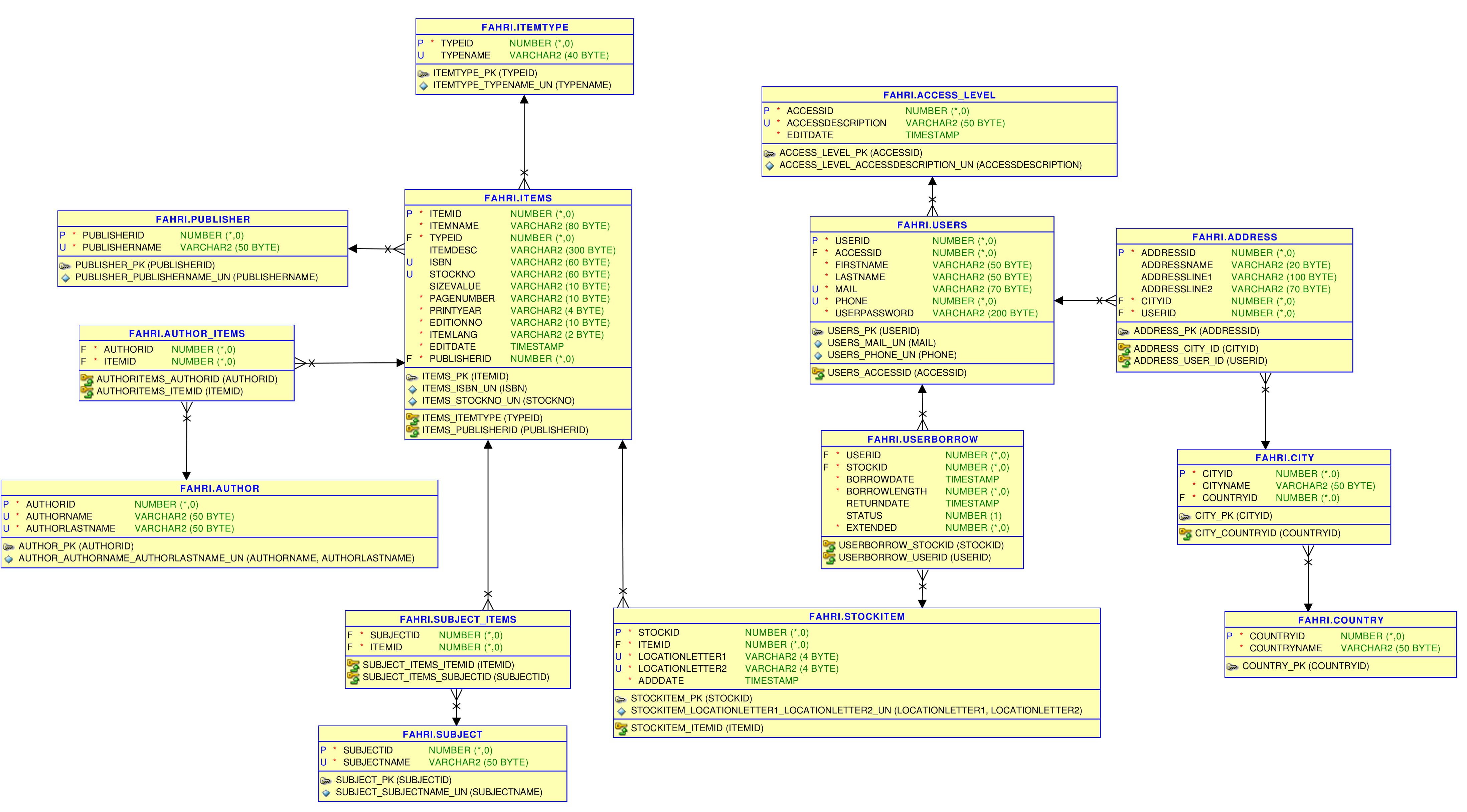
In this post I’ll walk through building a simple REST backend with Java Spring and JDBCTemplate. Before any code, it helps to know what we’re modeling, so the project starts from an ER diagram drawn up for some specific requirements.
Click to view large
With the diagram as a guide, I created some Java models for our objects and mappings.

On top of those models sit the controllers. I created two of them for two different cases, which in my project were Admins and users.
@PreAuthorize("hasAuthority('Admin')")
@PostMapping("/author/add")
public ResponseEntity<Author>addAuthor(@RequestBody Author author){
    return new ResponseEntity<>(authorService.addAuthor(author),HttpStatus.OK);
    }
The split between the two comes from the @PreAuthorize annotations, which grant access to admins while everyone else is kept out of these links.
With the controllers handling requests, the next layer down is the services and repositories that do the actual work.
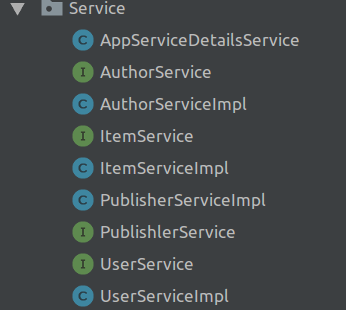
I used interfaces here to make editing and reviewing easier to understand and present.
The repositories look like this:
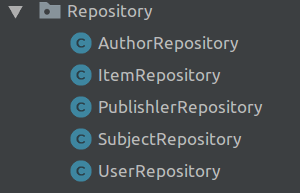
As a concrete example, here’s sample code for AuthorRepository:
public List<Author> getAllAuthors() {
        List<Author> tmp = jdbcTemplate.query("select authorID,authorName,authorLastName from FAHRI2.AUTHOR ORDER BY authorID"
                ,(rs,rowNum) ->new Author(rs.getInt("authorID"),rs.getString("authorName"),rs.getString("authorLastName")));
    return tmp;
    }
On the data side, I used Oracle DB 11g for this project, with Spring JDBCTemplate handling the database connections.
Codes in my github repo check out all codes here. https://github.com/ffahri/LibraryAutomationBackend
With everything wired up, we can try it out. Logging in to the system through Postman:
localhost:8090/oauth/token
We should use basic auth to get the OAuth token.
{
    "access_token": "your_access_token_will_be_here",
    "token_type": "bearer",
    "expires_in": 36000,
    "scope": "read write",
    "jti": "your-jti-will-be-here"
}
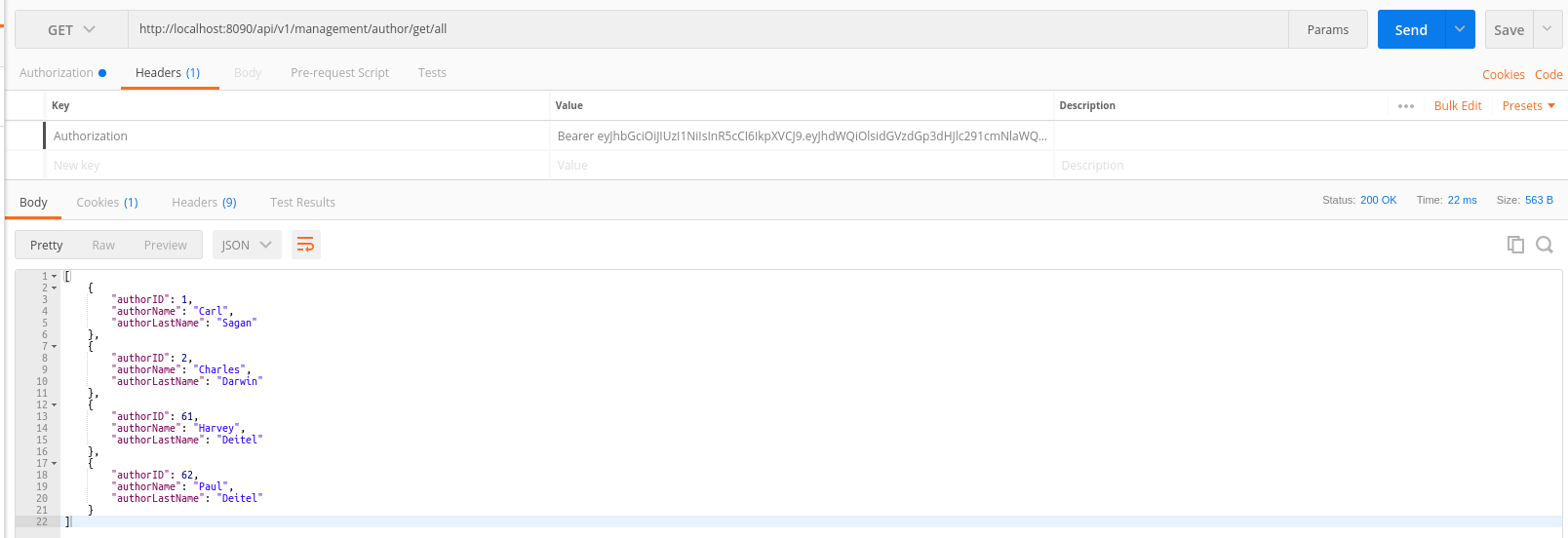
That token is what lets us list all authors. Specify the GET method, since we used @GetMapping in our code, and we see our author list.
Click to view large