
Creating a Docker Image
The Docker build command
Docker images are built from a Dockerfile, and whenever you get stuck writing one, the Docker reference is a genuinely handy companion.
For this example, we take a war file, add it to the Wildfly server, and turn the whole thing into an image.
Wildfly, in case it is unfamiliar, is a Java web server developed by JBoss.
Dockerfile
FROM jboss/wildfly
ADD test.war /opt/jboss/wildfly/standalone/deployments/
With the Dockerfile written, we open a terminal, move to the folder that holds both the Dockerfile and the war file, and run the command below.
docker build -t ornekimage .
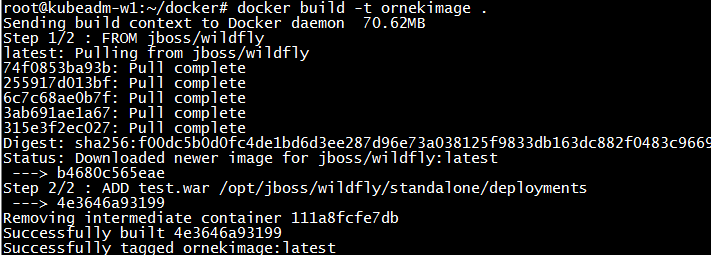
And to run the image we just built, this single command is all it takes.
docker run -p 8080:8080 -d ornekimage
– Turkish Version –
Docker image oluşturmak
Docker build komutu
Docker imagelerini bir Dockerfile ile oluşturuyoruz, ve Dockerfile yazarken herhangi bir yerde takıldığınızda docker reference gerçekten işe yarayan bir başvuru kaynağı.
Bu örnekte bir war dosyasını alıp Wildfly sunucusuna ekliyor ve tümünü bir image haline getiriyoruz.
Wildfly, aşina değilseniz, JBoss tarafından geliştirilen bir Java web sunucusudur.
Dockerfile
FROM jboss/wildfly
ADD test.war /opt/jboss/wildfly/standalone/deployments/
Dockerfile hazır olunca terminali açıp hem Dockerfile’ın hem de war dosyasının bulunduğu klasöre gidiyor ve aşağıdaki komutu çalıştırıyoruz.
docker build -t ornekimage .
Az önce oluşturduğumuz imageyi çalıştırmak için ise aşağıdaki tek komutu
docker run -p 8080:8080 -d ornekimage
yazmamız yeterli olacaktır.