
C# Graphics Programming – "Eppur Si Muove"
Picking up where the last post left off, we take a 3-dimensional object we prepared earlier and bring it to life, rotating and scaling it according to the viewpoint.
The phrase “Eppur Si Muove” was said by Galileo Galilei.
Our shape and its coordinates are already at hand, so let’s start by scaling them. Since we are using C# WPF, we can create a timer, which gives us the chance to observe our shape growing and shrinking in milliseconds.
private System.Windows.Forms.Timer dondur;
Then we add the logic part. The idea is simple: if our scale ratio is greater than 0.5 and less than 2.0, increase the scale ratio, otherwise decrease it.
ScaleArtsinMi = ((scale > 2 || scale <= 0.5) ? !ScaleArtsinMi : ScaleArtsinMi);
With the ratio decided, this method does the actual work,
Scale4D(noktalar , scaleoranimiz , scaleoranimiz , scaleoranimiz);
multiplying the point by the matrix. The point we obtain becomes our scaled point.
All that is left is to set things in motion: in our calling button we start the timer by writing dondur.Start(), and our object grows and shrinks every 100ms.
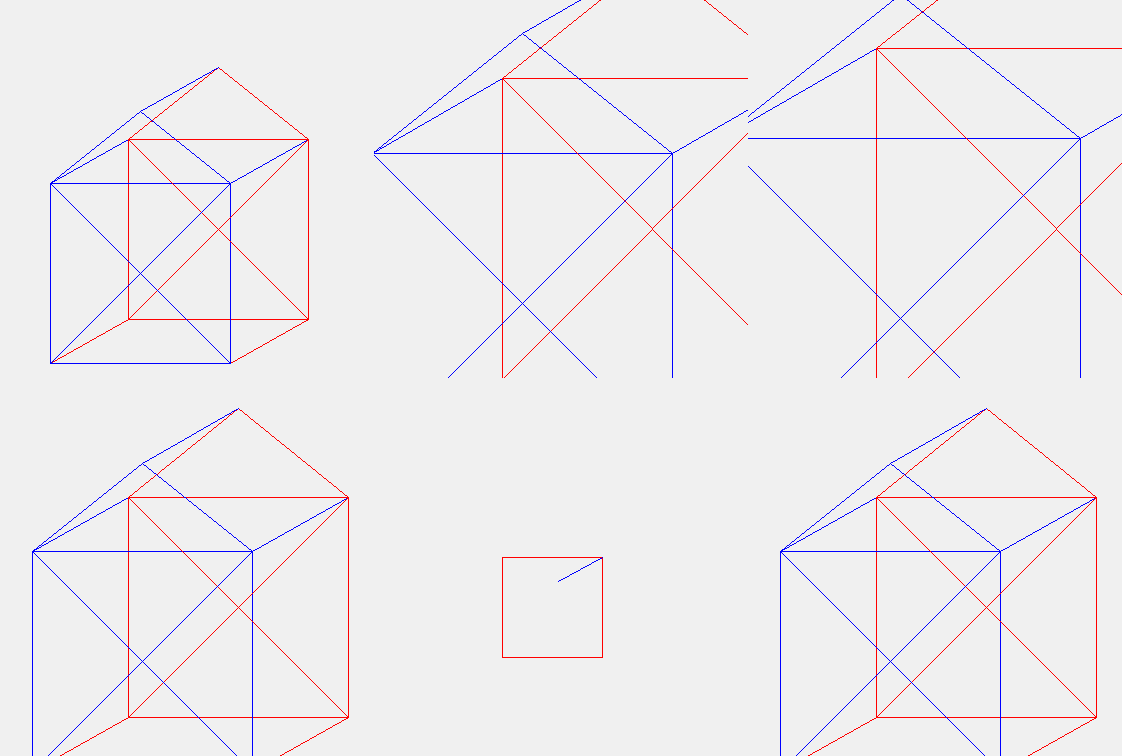
Scaling is one thing, but to be able to rotate, our camera needs to be set up.
Setting up the camera comes down to 3 vectors: “eye, target and up”.
Once these 3 vectors are calculated with dot products, our camera’s view is determined. From there, again with a timer, we can rotate it by incrementing the values of the eye vector’s x, y and/or z coordinates.

Our twitter card image was taken from this link: https://xceed.com/wp-content/documentation/xceed-datagrid-for-wpf/CardflowView3DCamera.html
– Turkish Version –
C# Grafik Programlama – “Eppur Si Muove”
Önceki yazının kaldığı yerden devam ederek, daha önceden hazırladığımız 3 boyutlu bir nesneyi alıp ona hayat veriyoruz; bakış açısına göre döndürüyor ve ölçeklendiriyoruz.
“Eppur Si Muove” sözü Galileo Galilei tarafından söylenmiştir.
Şeklimiz ve koordinatlarımız hazır olarak elimizde mevcut, o yüzden işe bunları ölçeklendirerek başlayalım. C# WPF kullandığımız için timer oluşturabiliriz; bu da bize şeklimizin büyüyüp küçülmesini milisaniye cinsinden gözlemleme şansı veriyor.
private System.Windows.Forms.Timer dondur;
Daha sonra mantık kısmını ekliyoruz. Fikir basit: eğer ölçek oranımız 0.5’ten büyük ve 2.0’dan küçükse ölçek oranını arttır, değilse azalt.
ScaleArtsinMi = ((scale > 2 || scale <= 0.5) ? !ScaleArtsinMi : ScaleArtsinMi);
Oran belirlendikten sonra asıl işi şu metot yapıyor,
Scale4D(noktalar , scaleoranimiz , scaleoranimiz , scaleoranimiz);
matris ile noktayı çarparak. Elde ettiğimiz nokta bizim ölçeklenmiş noktamız oluyor.
Geriye sadece her şeyi harekete geçirmek kalıyor: çağırma buttonumuzda dondur.Start() yazarak zamanlamayı başlatıyoruz ve nesnemiz 100ms’de bir büyüyüp küçülüyor.
Ölçeklendirme bir yana, döndürme yapabilmek için kameramızın ayarlanması gerekiyor.
Kameranın ayarlanması 3 vektöre dayanıyor, bunlar “eye, target ve up”.
Bu 3 vektör noktasal çarpımla hesaplandıktan sonra kameramızın görüşü belirlenmiş oluyor. Bundan sonra yine zamanlayıcıyla eye vektörünün x, y ve/veya z koordinatlarına değer arttırımı yaparak döndürülmesini sağlayabiliriz.
twitter kart resmimiz https://xceed.com/wp-content/documentation/xceed-datagrid-for-wpf/CardflowView3DCamera.html bu linkten alınmıştır