
Developing a GUI with Java – Stock Tracking Program
For developing a GUI with Java I reached for the NETBEANS IDE, mostly because I like both its easy interface and its debugging. Its real convenience is the drag-and-drop feature in the Design section, which handles a lot of the layout for you so that all that’s left is to write the connections and the general logic between them.
The project itself came out of the Object-Oriented Programming course I took this term, where I built a Stock Tracking Program as an assignment.
At its core, the application pulls data from a MySQL database and turns it into a table (via JDBC). From there the user can edit what’s shown or add new products, and the resulting table can be exported to “.xlsx” format.
Login panel
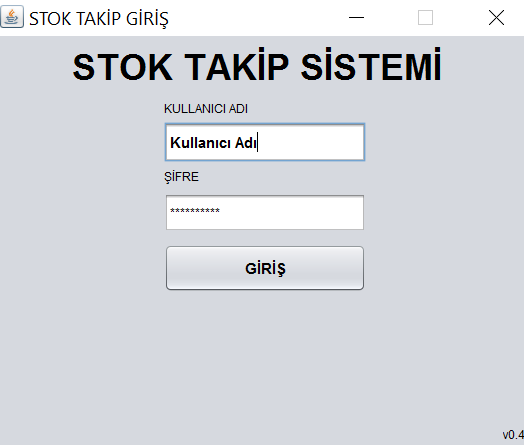
Table view
Once the data arrives from the MySQL server, it is shown in a table, and to make low stock easy to spot, any product below the specified quantity gets a red background on its row. 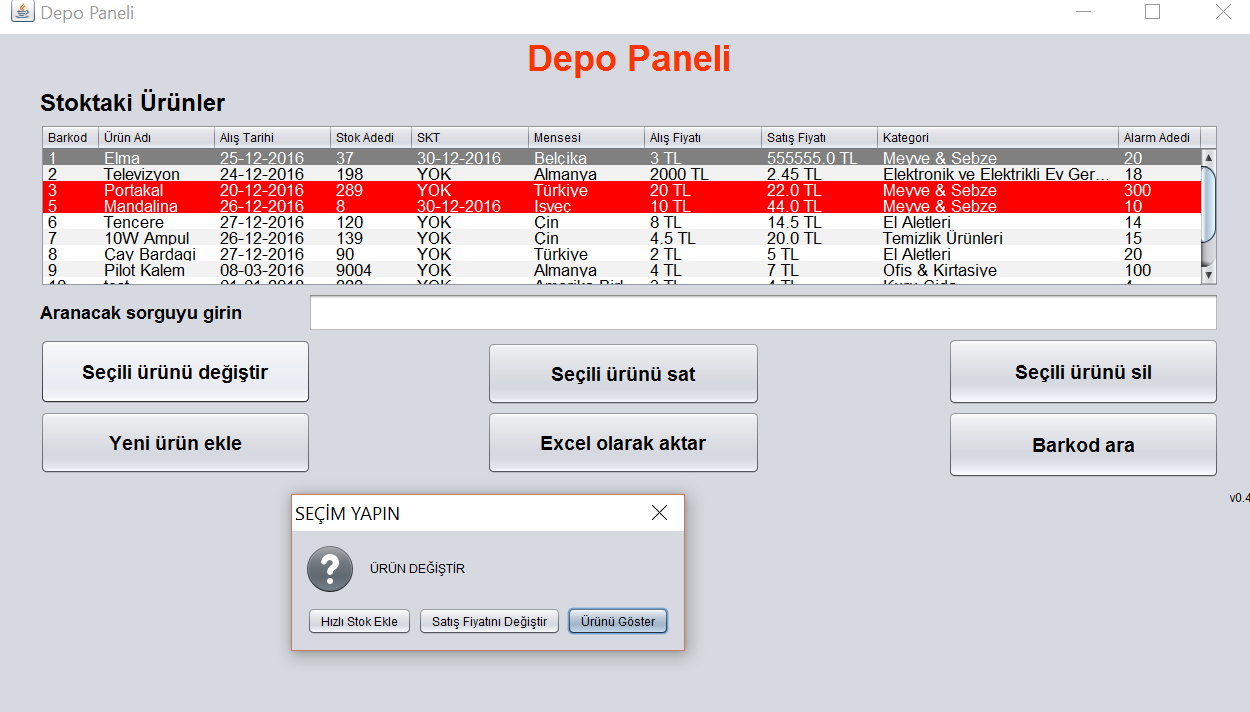
For the export side, we hand the table off to Excel using the Apache POI (https://poi.apache.org/) API.
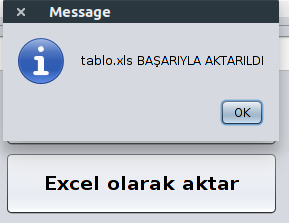
Excel view

Underneath all of this, I leaned on two structures. One is a class called “urun” that holds the product information and acts as a guide for product operations; the other is a super class that handles the MySQL operations.
– Turkish Version –
Java ile GUI geliştirmek – Stok Takip Programı
Java ile GUI geliştirmek için NETBEANS IDE’sini tercih ettim; en çok da hem kolay arayüzünü hem de hata bulmasını beğendiğim için. Asıl rahatlığı ise Design kısmındaki sürükle bırak özelliği, çünkü yerleşimin bir çoğunu sizin yerinize hallediyor ve geriye yalnızca bunlar arasındaki bağlantıyı ve genel işlemleri yazmak kalıyor.
Projenin kendisi ise bu dönem aldığım Nesne Yönelimli Programlama dersinden çıktı; orada ödev olarak bir Stok Takip Programı geliştirdim.
Özünde uygulama, mysql veritabanından verileri alıp bir tablo haline getiriyor (JDBC ile). Buradan sonra kullanıcı sunulan verileri düzenleyebiliyor veya yeni ürün ekleyebiliyor, ve oluşan bu tablo dışarıya “.xlsx” formatında aktarılabiliyor.
Giriş paneli
Tablo görüntüsü
Veriler mysql sunucusundan uygulamaya geldikten sonra bir tabloda gösteriliyor; azalan stoğu kolayca fark etmek için de belirlenen adetten az olan her ürünün satırı kırmızı renk arkaplana sahip oluyor.
Dışa aktarma tarafında ise tabloyu, Apache POI (https://poi.apache.org/) apisini kullanarak excel olarak dışarı veriyoruz.
Excel görüntüsü
Tüm bunların altında iki tane yapıya dayandım. Bir tanesi ürün bilgilerini tutan ve ürün işlemleri için yol gösterici olan urun adlı sınıf, diğeri ise mysql işlemlerini yürüten super sınıf.